Sign in
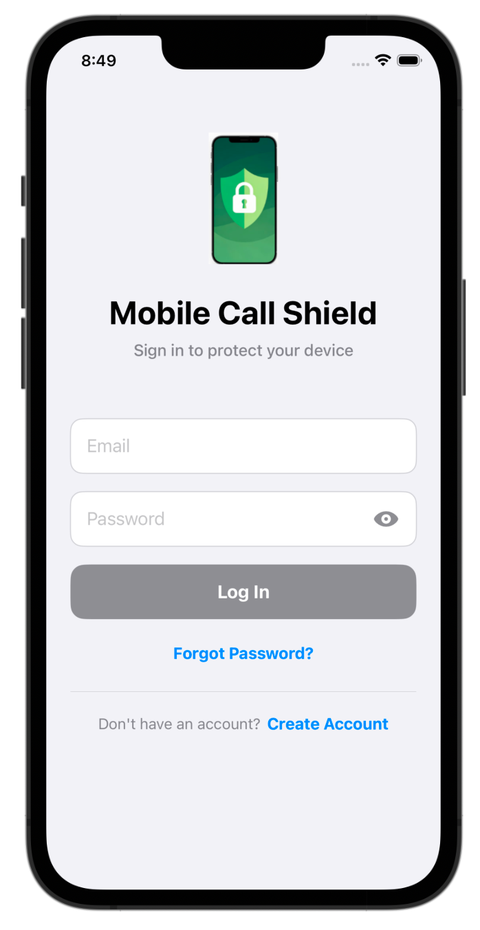
The login screen is the front door. Only you and the family guardians you approve can open your protection settings.
- Password you can checkTap the eye to see what you typed before you sign in.
- One tap to your dashboardLog In takes you straight to your protection status.
- Forgot your password?Recover it right from this screen.
- New here?Create Account sets up a protected line for you or a loved one in minutes.
Create your account
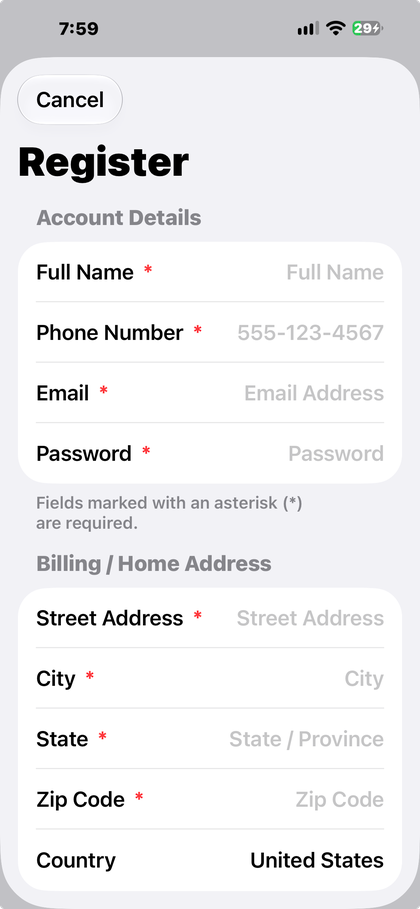
Registration collects your details and sets up the protections that make the service yours.
- Your detailsFull name, phone number, email, password and billing address.
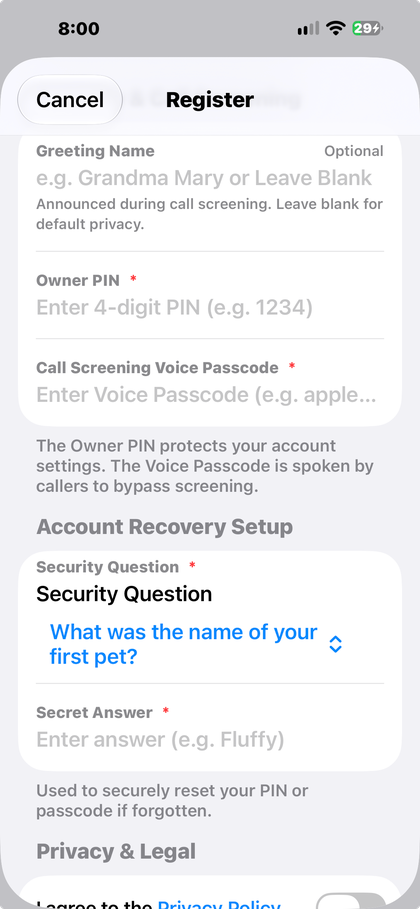
- Greeting name (optional)A name like "Grandma Mary" is announced to callers during screening, so real callers hear something familiar and your privacy stays intact.
- Owner PINA 4-digit code that locks your settings against changes by anyone else.
- Voice passcodeA secret word or phrase. Trusted callers say it out loud and ring straight through.
- Account recoveryPick a security question and a secret answer so you can always reset your login.
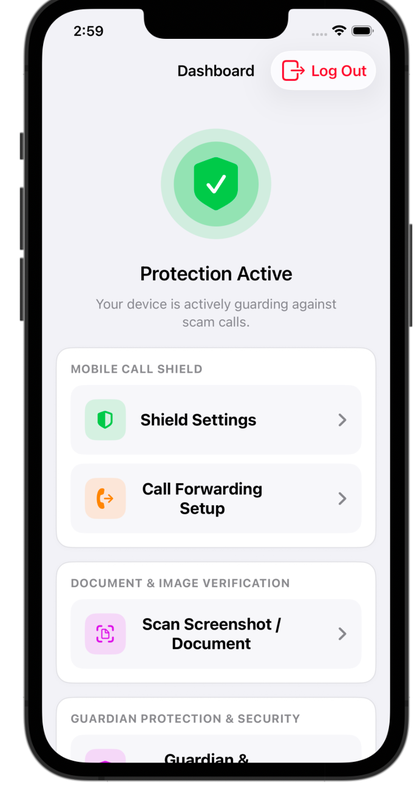
Your dashboard
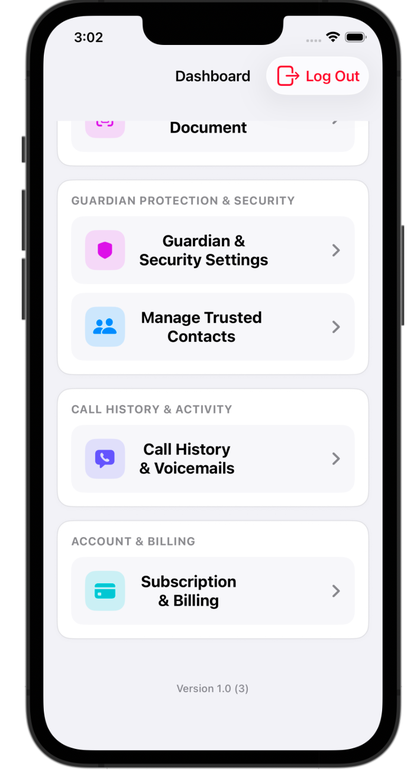
Your home base. A green shield and the words Protection Active tell you at a glance that your line is guarded against scam calls.
- Shield controlsJump to Shield Settings and Call Forwarding Setup.
- Scan Screenshot / DocumentCheck a suspicious letter, bill or message with your camera.
- Guardian and trusted contactsManage who can help and who always gets through.
- Call History and VoicemailsReview screened calls, blocked calls and messages.
- Subscription and BillingManage your plan in one place.
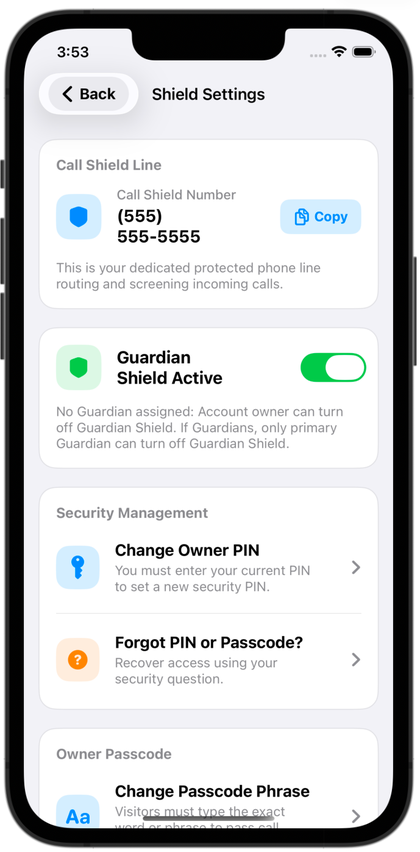
Shield settings
Full control over how calls are screened, who can change the rules, and how your line sounds to callers.
- Your Call Shield numberYour dedicated 10-digit number, with a Copy button for web forms and businesses.
- Guardian ShieldTurn protection on or off. When a primary guardian is assigned, only that guardian can switch it off, so a confusing call can't talk anyone into disabling it.
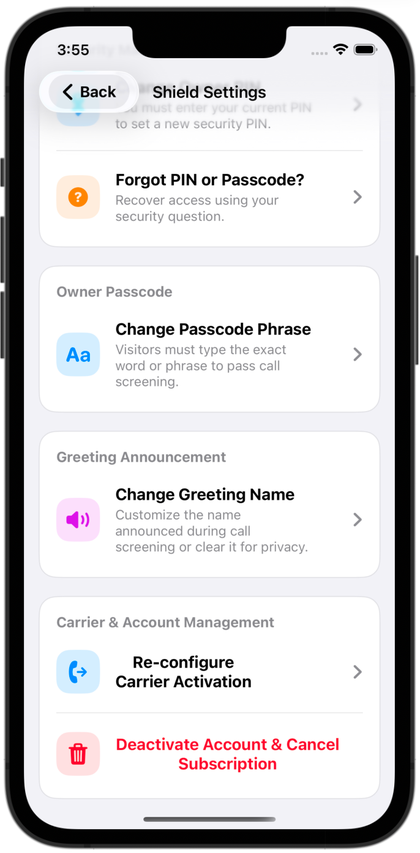
- SecurityChange your Owner PIN, or recover access with your security question.
- Passcode phrase and greetingUpdate the secret phrase callers say, or the name announced to them.
- Carrier and accountRe-configure forwarding, or cancel your subscription at any time.
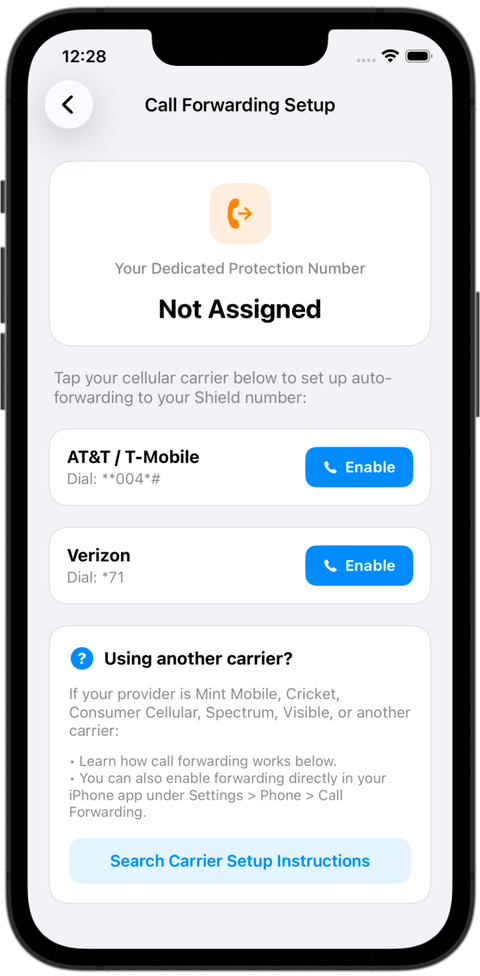
Call forwarding setup
Connect your regular phone line to your Mobile Call Shield number with a tap, no technical know-how needed.
- Your protection numberShown at the top, with a clear notice if your number is still being assigned.
- One-tap carrier buttonsQuick-enable buttons for the major carriers dial the right setup code for you.
- Prepaid and smaller carriersPlain instructions for budget and prepaid providers such as Mint Mobile, Cricket, Consumer Cellular, Spectrum and Visible.
- Backup methodPrefer your phone's own settings? The app points you to Call Forwarding in your phone's Settings.
- Any other carrierSearch Carrier Setup Instructions finds the steps for your provider.
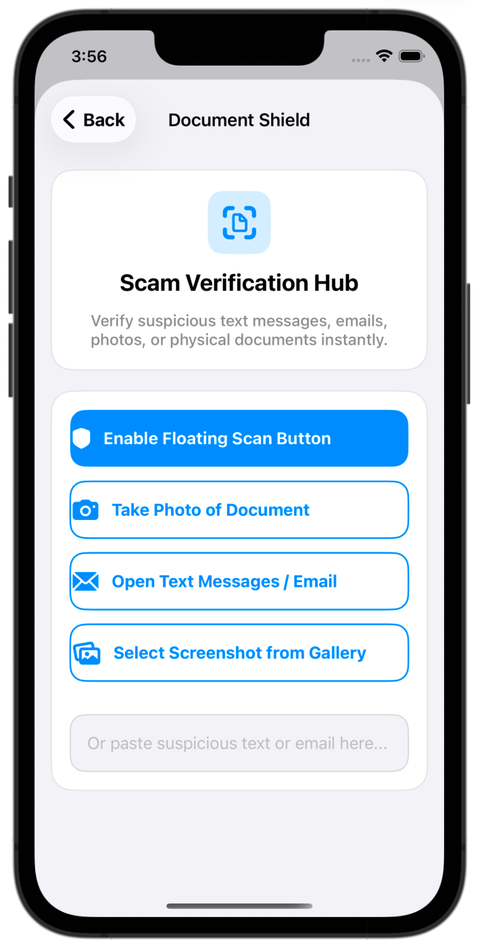
Document Shield
An on-demand scam verification hub. Check a suspicious text message, email, photo or piece of physical mail whenever you choose to scan it.
- Take Photo of DocumentSnap a picture of a letter, a utility notice or a bill that looks wrong.
- Open Text Messages / EmailPick a message you want checked and look it over safely.
- Select Screenshot from GalleryUpload a saved screenshot, a QR code or any image for review.
- Paste to checkDrop suspicious text or a link into the box for a fraud check.
- Floating Scan ButtonKeep a quick scanner on screen while you use other apps.
- Privacy firstDocument Shield never automatically reads or monitors your personal text messages or email inbox in the background. It only looks at the specific documents or messages you submit for threat analysis.
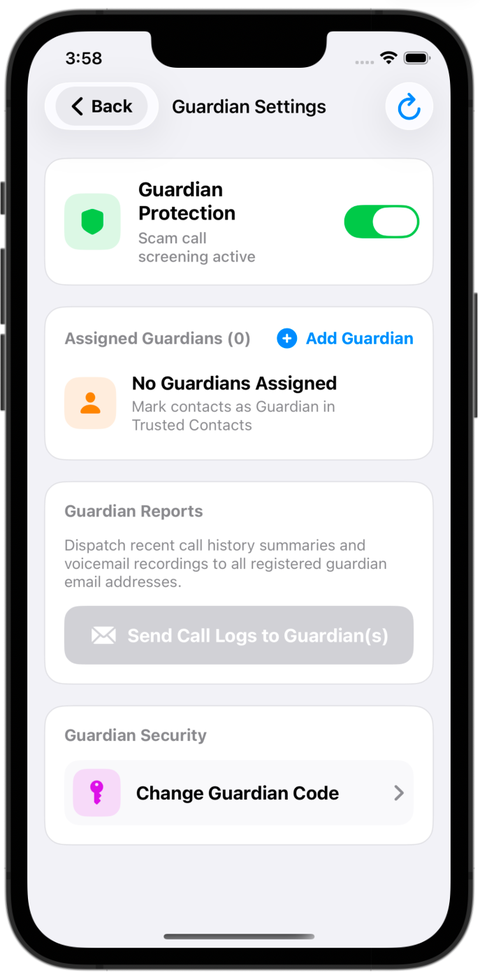
Guardian settings
Trusted family members and caregivers can look out for a loved one's line from afar.
- Protection statusA toggle shows that scam call screening is running.
- Assigned guardiansSee who is watching over the line, and add a family member with + Add Guardian.
- Send call logsEmail recent call summaries and voicemail recordings to your guardians.
- Guardian codeA separate passcode protects administrative changes and any hand-off of guardian roles.
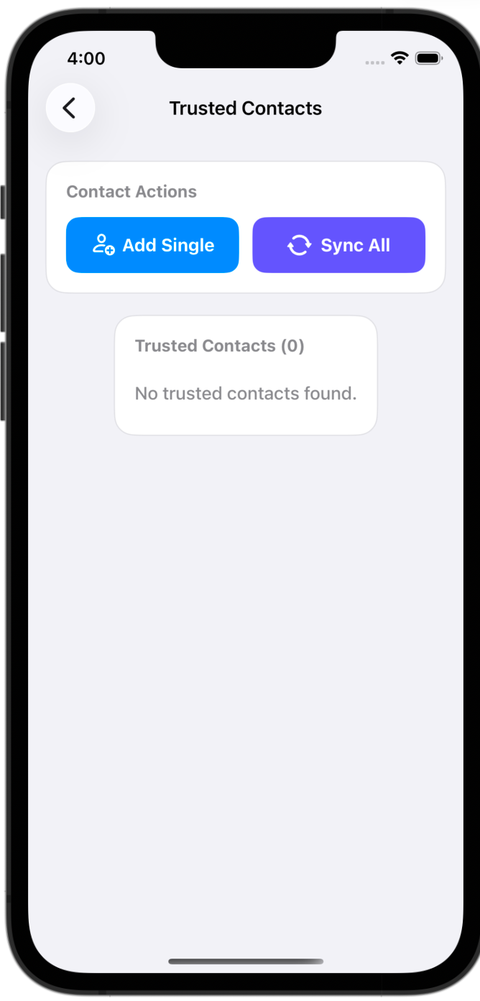
Trusted contacts
Your inner circle. Family, close friends, doctors and service providers skip screening entirely and reach you without delay.
- Sync AllImport your whole phone address book at once so people you already know get through.
- Add SingleAdd one name and number at a time.
- Guardian assignmentChoose guardians and a primary guardian from your trusted contacts.
- Allowed callers listSee a live count of everyone verified to ring straight through.
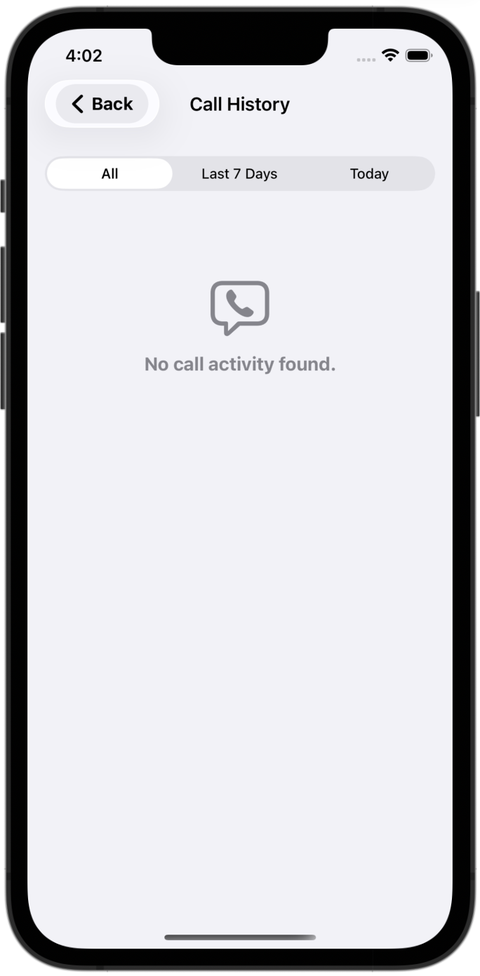
Call history and voicemails
A clear record of everything that called, so you and your guardians always know what happened.
- Quick filtersSwitch between All, Last 7 Days and Today.
- Every screened callSee the caller, the time, and whether the call passed, was blocked or was flagged.
- Voicemail reviewReplay caller verification prompts and messages right in the app.
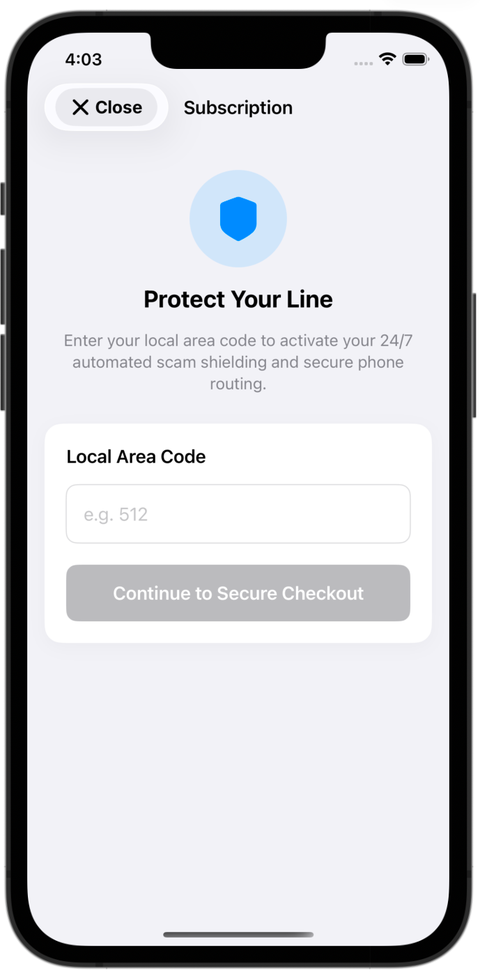
Subscribe and turn on your line
Activate round-the-clock scam protection and get a protection number that matches where you live.
- Local area codeEnter your 3-digit area code, such as 512, and your protection number will match your region.
- 24/7 shieldingActivation turns on automatic scam screening and secure call routing.
- Secure checkoutContinue to Secure Checkout starts the encrypted payment.